What are Three Workflows Every Saas Company Should Automate
Struggling with slow growth or rising churn in your SaaS product? It often comes down to manual processes. This blog breaks down three critical workflows, lead management, onboarding, and billing, that you should automate to improve conversions, reduce drop-offs, and keep your revenue flowing without constant manual effort.

When the competition in all global markets is cutthroat in 2026, the Software as a Service (SaaS) industry has reached a point of peak saturation. For every problem of a customer, fifty different tools claim to solve it. In this environment, the winners are not necessarily the ones with the flashiest features, but the ones with the most frictionless operations.
Efficiency in SaaS is often measured by the LTV/CAC ratio (Lifetime Value to Customer Acquisition Cost). When your human team is bogged down by manual data entry, repetitive email follow-ups, and manual billing reconciliation, your CAC skyrockets and your team’s morale plummets. Automation is the bridge between a struggling startup and a high-margin enterprise.
Still handling leads manually and losing high-intent prospects?
Which Workflows SaaS Companies Must Automate?
To build a truly resilient SaaS, you must move beyond simple task automation and start thinking in terms of ecosystem workflows.
Here is an exhaustive look at the three critical workflows you should automate today.
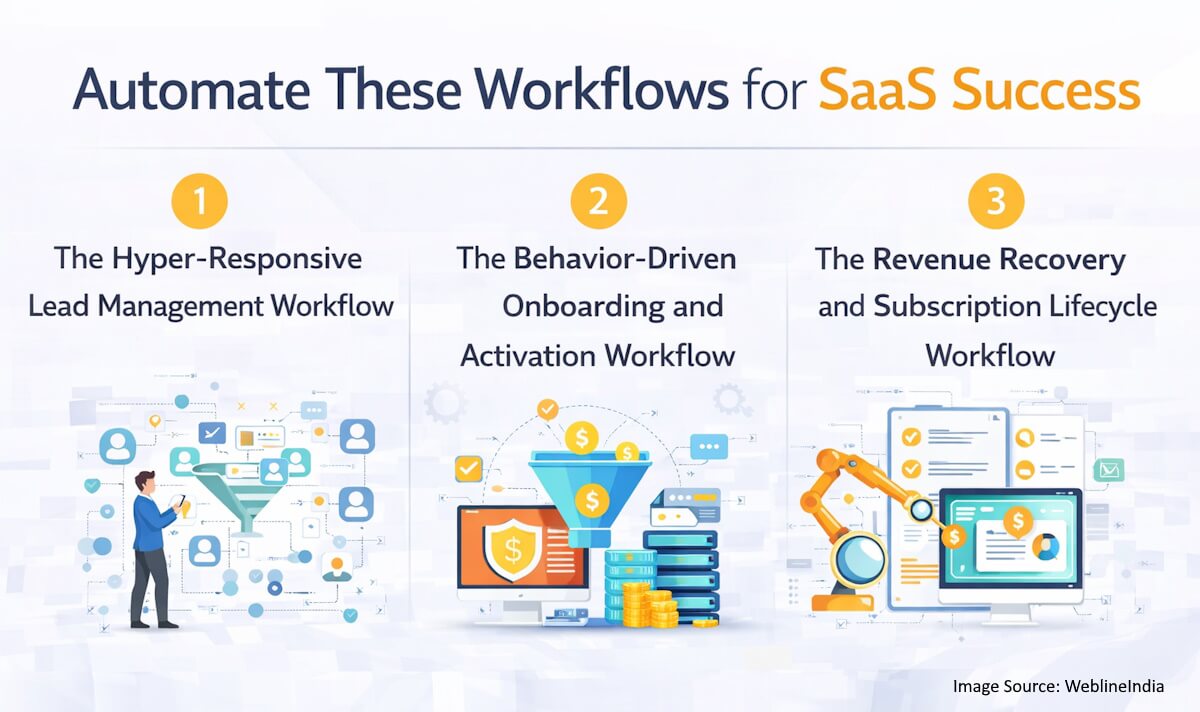
1. The Hyper-Responsive Lead Management Workflow
The journey of a SaaS customer begins long before they enter a credit card number. It starts the moment they interact with your brand. In a world of instant gratification, a lead is a decaying asset. The longer it sits in your database without an interaction, the less valuable it becomes.
The Anatomy of Manual Friction
In a traditional, non-automated setup, a lead fills out a form on your website. That data is sent to a generic email inbox or stored in a spreadsheet. Eventually, a marketing manager exports that list and imports it into a CRM. Then, a sales manager assigns those leads to reps. By the time an SDR (Sales Development Representative) picks up the phone or sends an email, three days have passed. In those three days, the prospect has already looked at three competitors and likely signed up for a free trial with the one that responded first.
The Automated Architecture
An automated lead management workflow removes human latency entirely. Here is the step-by-step technical breakdown:
- Real-Time Data Enrichment: Use a webhook to catch form submissions instantly. Before the lead even hits your CRM, route the email address through an enrichment API (like Clearbit or ZoomInfo). This automatically populates fields like Company Revenue, Employee Count, and Tech Stack.
- Lead Scoring Logic: Instead of treating every lead the same, apply an automated scoring algorithm. For example, if the lead is from a company with over 500 employees (Enterprise) and uses a compatible integration (Tech Stack match), add 50 points. If they downloaded a pricing sheet, add another 20 points.
- Intelligent Routing: Based on the score, the workflow branches.
- High-Score Leads: Automatically create a Deal in your CRM, assign it to your top AE (Account Executive), and send a Slack notification to the #sales-wins channel.
- Low-Score Leads: Tag them as Marketing Qualified and drop them into a long-term educational nurture sequence in your email marketing tool.
- The Power of the Instant Meeting: Integrate a scheduling tool directly into the success page of your form. If a lead meets the high-score threshold, show them a calendar immediately. This allows the prospect to book a demo while their intent is at its peak.
The Strategic Value
Automating this workflow ensures your sales team spends their time closing deals rather than hunting for phone numbers or qualifying “tire-kickers.” It creates a professional, high-speed brand image that tells the prospect: We are ready to solve your problems right now.
2. The Behavior-Driven Onboarding and Activation Workflow
Getting a user to sign up for a trial is easy; getting them to find value in the software is the hard part. Churn in SaaS usually happens in the first 14 days because the user feels lost or overwhelmed. This is known as the “Empty State” problem.
The Failure of Static Onboarding
Most companies send a standard sequence of five emails: Day 1 (Welcome), Day 3 (Feature A), Day 5 (Feature B), and so on. The problem? If the user already set up Feature A on Day 1, your Day 3 email is annoying. If they haven’t even logged in yet, your Day 5 email about advanced features is irrelevant. Static onboarding ignores user behavior, leading to disengagement.
The Automated “Activation” Engine
A sophisticated automated onboarding workflow reacts to what the user is actually doing inside your app.
- The Aha! Moment Tracking: Identify the one action that correlates most with long-term retention. For a project management tool, it might be creating the first task. For a CRM, it might be importing contacts.
- Behavioral Triggers:
- Scenario A (The Power User): If a user completes the setup in two hours, the automation skips the basic tutorials and sends them an invite to a Power User Webinar or offers an upgrade to a Pro plan.
- Scenario B (The Stuck User): If a user logs in but doesn’t perform the Aha! action within 24 hours, the system triggers an automated message from a Customer Success bot: Hey, I noticed you haven’t created a project yet. Want a 2-minute video on how to start?
- In-App Messaging and Tooltips: Use automation to trigger UI changes. If a user hovers over a complex feature, a small video bubble can pop up explaining how it works.
- Internal Success Alerts: If a high-value trial user hits 80% of their usage limit, an automated alert should go to the account manager to reach out and discuss an enterprise contract before the trial even ends.
The Strategic Value
By automating onboarding based on behavior, you provide a personalized experience at scale. It feels like a dedicated success manager is watching over every single user, ensuring they reach the point of value quickly. This drastically reduces early-stage churn and increases the likelihood of a trial-to-paid conversion.
Are you investing in acquisition but losing users during onboarding? It’s time to turn signups into paying customers.
3. The Revenue Recovery and Subscription Lifecycle Workflow
SaaS revenue is built on the premise of compounding growth. However, most companies lose 5% to 10% of their revenue every year to involuntary churn. This isn’t because customers want to leave; it’s because their credit cards expire, their banks decline a transaction, or a billing admin leaves the company.
The Burden of Manual Billing
Chasing payments is the least favorite task of any finance or success team. It feels confrontational and administrative. When done manually, it is often inconsistent. One month a customer might get a reminder; the next month they might be cut off without warning because the finance lead was on vacation. This creates a terrible customer experience and a leaky bucket for your revenue.
The Automated Recovery (Dunning) System
An automated billing workflow manages the entire lifecycle of a subscription without human intervention.
- Pre-Dunning Notifications: For annual contracts, the system should send an automated “Renewal Coming Up” email 30 days in advance. This avoids the “bill shock” that leads to chargebacks.
- The Retrying Logic: Instead of failing a payment immediately, the system should be programmed to retry the card at strategic intervals (e.g., 1 day later, 3 days later, 7 days later). Banks often have temporary outages, and a simple retry can recover 20% of failed payments.
- The Automated Dunning Sequence: If retries fail, a series of 3-5 emails are triggered.
- Email 1 (Soft): Your payment didn’t go through. No worries, we’ll try again.
- Email 2 (Informative): We still can’t process the payment. Please update your card here [Secure Link].
- Email 3 (Urgent): Your access will be restricted in 48 hours. Update now to keep your data.
- Grace Period Management: Automate the “lock-out” process. If after 14 days no payment is made, the system automatically switches the account to a Read-Only mode rather than deleting data, keeping the door open for a future return.
- The Win-Back Automation: If a user cancels their subscription, don’t just let them go. Trigger an automated sequence 3 months later offering a “We Miss You” discount or highlighting a major new feature they haven’t seen yet.
The Strategic Value
Automating your billing and dunning isn’t just about saving time; it’s about protecting your valuation. Every dollar of churn prevention with automation workflows is a dollar that compounds over the life of the company. It ensures that your revenue stream is as automated as your software.
The Compounding Effect of Total Automation
When these three workflows are synchronized, your SaaS becomes a well-oiled machine.
- Leads are caught and qualified instantly.
- Users are guided to value based on their own actions.
- Revenue is protected and recovered through intelligent systems.
This allows your leadership team to focus on the things that actually require human creativity: strategy, product-market fit, and company culture. In the modern era, “Work Harder” is bad advice. The new mantra is “Automate Better.”
How WeblineIndia Helps with SaaS Company Automation
While the concepts of automation are straightforward, the execution is where most SaaS development companies stumble. Integrating disparate tools like Salesforce, Stripe, Slack, and your own proprietary database requires a high level of technical precision and security.
This is where WeblineIndia becomes your most valuable strategic partner.
As an acclaimed offshore IT agency, WeblineIndia has built a reputation as a leader in n8n automation and custom software development. They specialize in helping businesses identify the hidden bottlenecks in their processes and engineering robust, scalable solutions to eliminate them.
Why WeblineIndia is the Right Partner for Your SaaS
- Deep Technical Expertise: From complex API integrations to building custom middleware, their engineers understand the nuances of the SaaS ecosystem.
- Industry-Leading Standards: Whether you are in Fintech, Healthcare, or EdTech, WeblineIndia adheres to the highest security and compliance standards, ensuring your automated workflows are safe and reliable.
- End-to-End Service: They don’t just write code; they consult. They help you map out your customer journey and suggest the best automation triggers to maximize your ROI.
- Global Scalability: With an offshore model that emphasizes clear communication and agile methodology, they offer the perfect balance of high-quality output and cost-efficiency.
In the world of SaaS, you are either growing or you are dying. Manual processes are the weight that keeps you from flying. Let the experts handle the plumbing of your business so you can focus on the vision.
Social Hashtags
#SaaS #SaaSGrowth #Automation #WorkflowAutomation #AIinBusiness #DigitalTransformation #CustomerSuccess #LeadManagement #CustomerOnboarding #ChurnReduction
Want to know how we fix your SaaS revenue leaks and boost profits today?
Frequently Asked Questions
Globally Recognized for Unmatched Quality and Reliability




Testimonials: Hear It Straight From Our Global Clients
Our development processes delivers dynamic solutions to tackle business challenges, optimize costs, and drive digital transformation. Expert-backed solutions enhance client retention and online presence, with proven success stories highlighting real-world problem-solving through innovative applications. Our esteemed Worldwide clients just experienced it.
Awards and Recognitions
While delighted clients are our greatest motivation, industry recognition holds significant value. WeblineIndia has consistently led in technology, with awards and accolades reaffirming our excellence.
OA500 Global Outsourcing Firms 2025, by Outsource Accelerator

Top Software Development Company, by GoodFirms

BEST FINTECH PRODUCT SOLUTION COMPANY - 2022, by GESIA
Awarded as - TOP APP DEVELOPMENT COMPANY IN INDIA of the YEAR 2020, by SoftwareSuggest